Still copy-pasting into ChatGPT? Here’s how to turn your ideas into AI-powered apps
When ChatGPT first came out, I treated it like Google with a personality.
I’d copy-paste long chunks of text, get a shiny response, and move on.
But after a while, I noticed something: I was stuck in copy-paste mode.
I wasn’t building anything with AI—I was just borrowing its brain.
That’s when I realized the next level wasn’t about better prompts. It was about turning my messy ideas into actual AI-powered apps.
The copy-paste trap
We’ve all done it.
Need a blog outline? Copy-paste.
Need a quick translation? Copy-paste.
Need a summary for that 30-page report? Copy-paste.
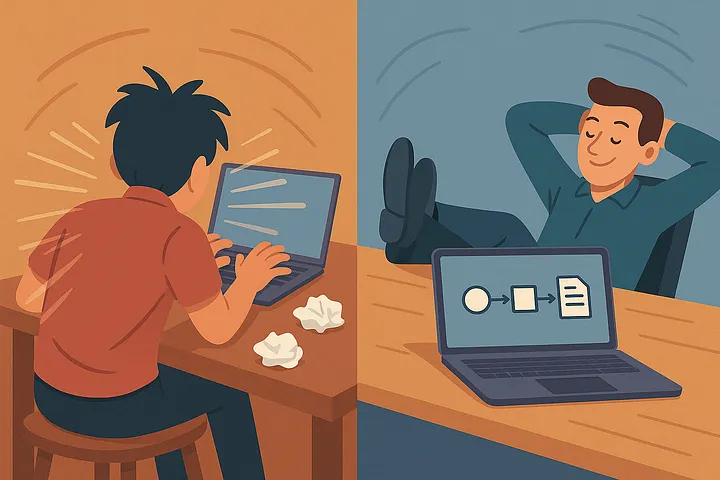
It feels productive. But in reality, you’re trapped in a loop where you depend on manual back-and-forth with ChatGPT.
The problem? It doesn’t scale.
What happens when you need to do that task 100 times? Or when your team wants the same workflow?
That’s when copy-pasting stops working—and automation begins.
From chat box to workflows
Think about Sarah, a freelance writer I met. She used to paste her client briefs into ChatGPT, then manually rewrite them into polished blog drafts.
It worked—until her client load doubled. Suddenly, she was spending more time copy-pasting than writing.
So she built a simple app: a web form where clients could paste their briefs, hit submit, and instantly get a refined draft powered by the ChatGPT API.
The result? Less repetitive work. More time for creative editing. And yes—happier clients.
You don’t need to be a coder
Here’s the secret: you don’t need to be a software engineer to build AI-powered apps anymore.
No-code tools like Bubble, Zapier, or Make let you connect ChatGPT with forms, emails, or spreadsheets.
With just a few clicks, you can turn a repetitive workflow into an automated pipeline.
Want to turn meeting notes into action items?
Want to generate daily social media posts from a calendar of ideas?
Want to summarize every new email in your inbox?
All possible—without writing a single line of code.
The power of ownership
When you stop copy-pasting and start building, something shifts.
ChatGPT stops being a “tool you chat with” and becomes an engine you design around.
Instead of asking, “What can ChatGPT do for me?” you start asking, “What can I build on top of it?”
That’s the difference between being a user and becoming a creator.
Conclusion: From consumer to builder
Copy-pasting into ChatGPT will always be useful. But it’s the shallow end of the pool.
The real leverage comes when you package your prompts, automate your workflows, and create small apps that work for you—even while you sleep.
So next time you catch yourself pasting text into ChatGPT, pause and ask:
👉 What if this wasn’t a one-time chat, but the foundation of an app that could run on its own?